(EN google-translate)
(PL google-translate)
1. New small examples for using the screen, touchscreen, button, IMU sensor, and real-time clock
1.1 Using the function editor(...)
#include "twatch.h"
#include "variables.h"
#include "functions.h"

void setup()
{
    setupTWATCH();
    setFont(1, 255,255,255,  0,0,0);
    backlight(true);
}

void loop()
{
    cursor(0,0);
    editor("Hello\n");
    editor("Editor\n");
    editor("01234567890123456\n");
    editor("17 Spalten\n");
    editor("9 Zeilen\n");
    editor("Zeile 6\n");
    editor("Zeile 7\n");
    editor("Zeile 8\n");
    editor("Zeile 9\n");
    delay(100);
}
Code 0-1: 1.1 Using the function editor(...)
 TWATCH_PROC023_B001.zip -- 1.1 Using the function editor(...)
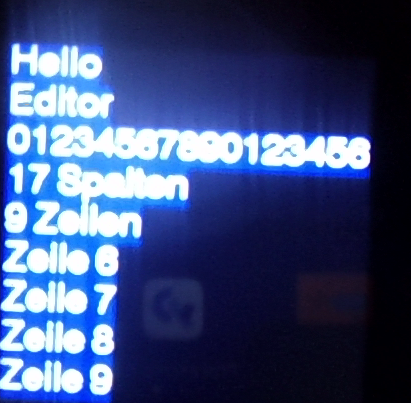
Bild 0-1: View of the clock -- 1.1 Using the function editor(...)
1.2 Using the function button()
#include "twatch.h"
#include "variables.h"
#include "functions.h"

bool zeigeText = false;

void setup()
{
    setupTWATCH();
    setFont(1, 255,255,255,  0,0,0);
    backlight(true);
}

void loop()
{

    if(button())
    {
         zeigeText=!zeigeText;
    }

    if(zeigeText)
    {
        cursor(50,100);
        editor("Hello");
    }
    else
    {
        background(0,255,0);
    }

    delay(100);
}
Code 0-2: 3.2 Using the function button()
TWATCH_PROC023_B002.zip -- 1.2 Using the function button()
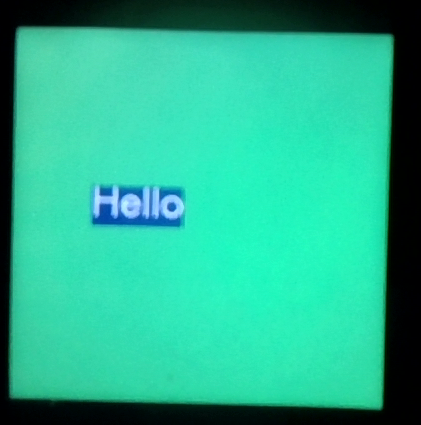
Bild 0-2: 1.2 Using the function button() ... after pressing the button once.
1.3 Using the Radio-Controlled Clock
#include "twatch.h"
#include "variables.h"
#include "functions.h"

bool zeigeText = false;

void setup()
{
    setupTWATCH();
    setFont(1, 255,255,255,  0,0,0);
    updateTime(); //RTC Zeit holen
    backlight(true);
}

void loop()
{
    int h = getHour();
    int m = getMinute();
    int s = getSecond();
    cursor(0,0);
    if(h<10)
    {
        editor('0');
    }
    editor(h);
    editor(':');
    if(m<10)
    {
        editor('0');
    }
    editor(m);
    editor(':');
    if(s<10)
    {
        editor('0');
    }
    editor(s);

    fill(255,0,0);
    noStroke();
    rect(0,120,s*4,120);
    fill(0,0,0);
    rect(s*4,120,239-s*4,120);
    delay(100);
}
Code 0-3: 1.3 Using the Radio-Controlled Clock
TWATCH_PROC023_B003.zip -- 1.3 Using the Radio-Controlled Clock
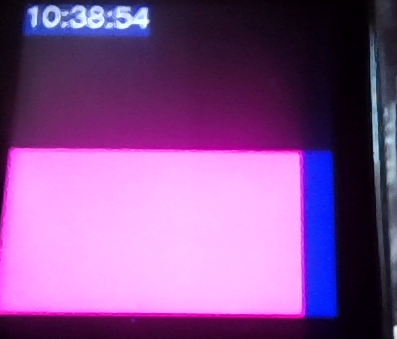
Bild 0-3: 1.3 Using the Radio-Controlled Clock
1.4 Using the Accelerometer and Vibration Motor
#include "twatch.h"
#include "variables.h"
#include "functions.h"

void setup()
{
    setupTWATCH();
    setupMotor();
    setFont(1, 255,255,255,  0,0,0);
    backlight(true);
}

void loop()
{
    acceleration();
    cursor(0,0);
    editor(absaccX);
    editor('\n');
    editor(absaccY);
    editor('\n');
    if(absaccZ<1000) editor('0');
    if(absaccZ<100) editor('0');
    if(absaccZ<10) editor('0');
    editor(absaccZ);

    stroke(0,0,255);
    if(absaccZ<300)
    {
        motor();
        fill(255,0,0);
    }
    else
    {
        fill(0,255,0);
    }
    circle(120,120,50);
    delay(100);
}
Code 0-4: 3.4 Using the Accelerometer and Vibration Motor
TWATCH_PROC023_B004.zip -- 1.4 Using the Accelerometer and Vibration Motor
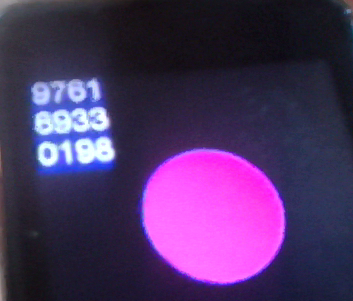
Bild 0-4: 1.4 Verwendung des Beschleunigungssensors und des Vibrationsmotors während Alarm.
Small projects for an application program using the internal peripherals covered so far
Exercise 1
|
Exercise 2
|
|
 06_TWATCH/04_Simplified_Commands -- siehe Code 4-4.
Exercise 3
|
Note: Call millis() with a type cast to integer, for example: int t = (int)millis();
Exercise 4
|